Phone Relay
Answer decisions and approvals from your phone, without exposing your machine
Phone relay lets you keep the factory moving while you're away from your desk. Pair a phone once, and Fabrika's decisions, plan approvals, reviews, and audits land in your pocket — with a Web Push when something needs you.
The factory runs on your machine, but the judgment calls are yours. Phone relay forwards just those calls — the attention feed — to a decision-focused web app on your phone, so you can approve a plan or answer a question from anywhere.
How it works
Your machine never opens a port to the internet. Instead, the Fabrika daemon dials out to the hosted relay at relay.fabrika-ai.com and holds a single connection open. Your phone connects to the same relay, and the relay pipes the two together.
Fabrika daemon ──(outbound connection)──▶ relay.fabrika-ai.com ◀──(connection)── your phoneBecause the daemon initiates the connection, relay works behind NAT, firewalls, and home routers with no port forwarding, no VPN, and nothing exposed on your machine.
The relay is a zero-knowledge pipe: everything between your daemon and your phone is end-to-end encrypted, so the relay only ever routes ciphertext (see How it’s secured below).
Getting access
The relay is a hosted service in early access. To get a relay token, email berkay@berkaycubuk.com. You’ll receive a token that authorizes your daemon to connect.
Setup
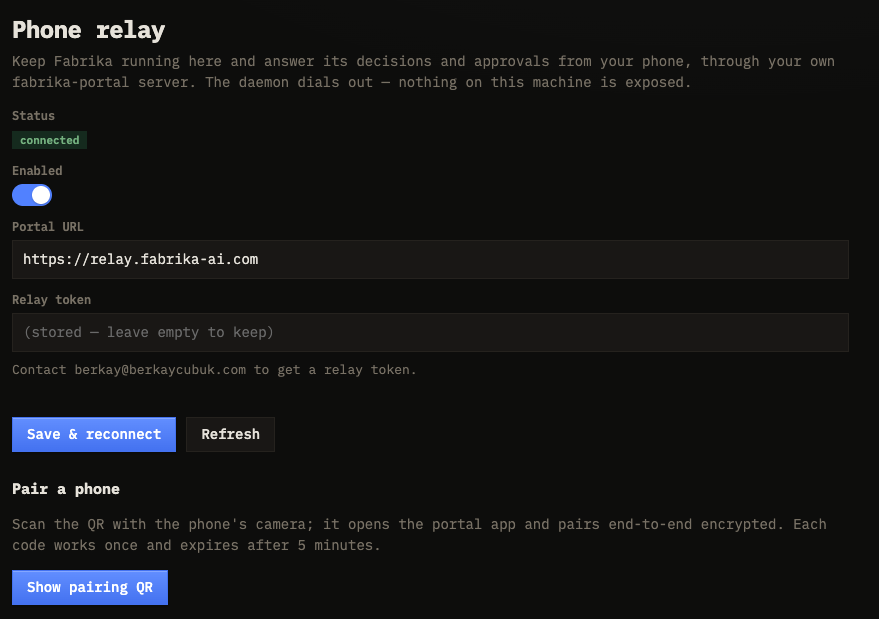
Open Settings → Phone relay in the cockpit.
- Enter the relay token you received by email. The Portal URL is pre-filled with
relay.fabrika-ai.com— leave it as is. - Toggle Enabled on and click Save & reconnect. The status pill turns to Connected once the daemon establishes its tunnel.
- Click Show pairing QR. (The relay must be connected first.)
Each project’s daemon connects on its own, so you set up phone relay per repo.
Pairing a phone
With the relay connected, click Show pairing QR and scan the code with your phone’s camera.
- Scanning opens the relay’s phone app and completes an end-to-end-encrypted pairing in one step.
- Each QR code works once and expires after 5 minutes. Generate a fresh one if it lapses.
- The pairing secret travels inside the QR’s URL fragment, which never reaches the relay server — only your phone reads it.
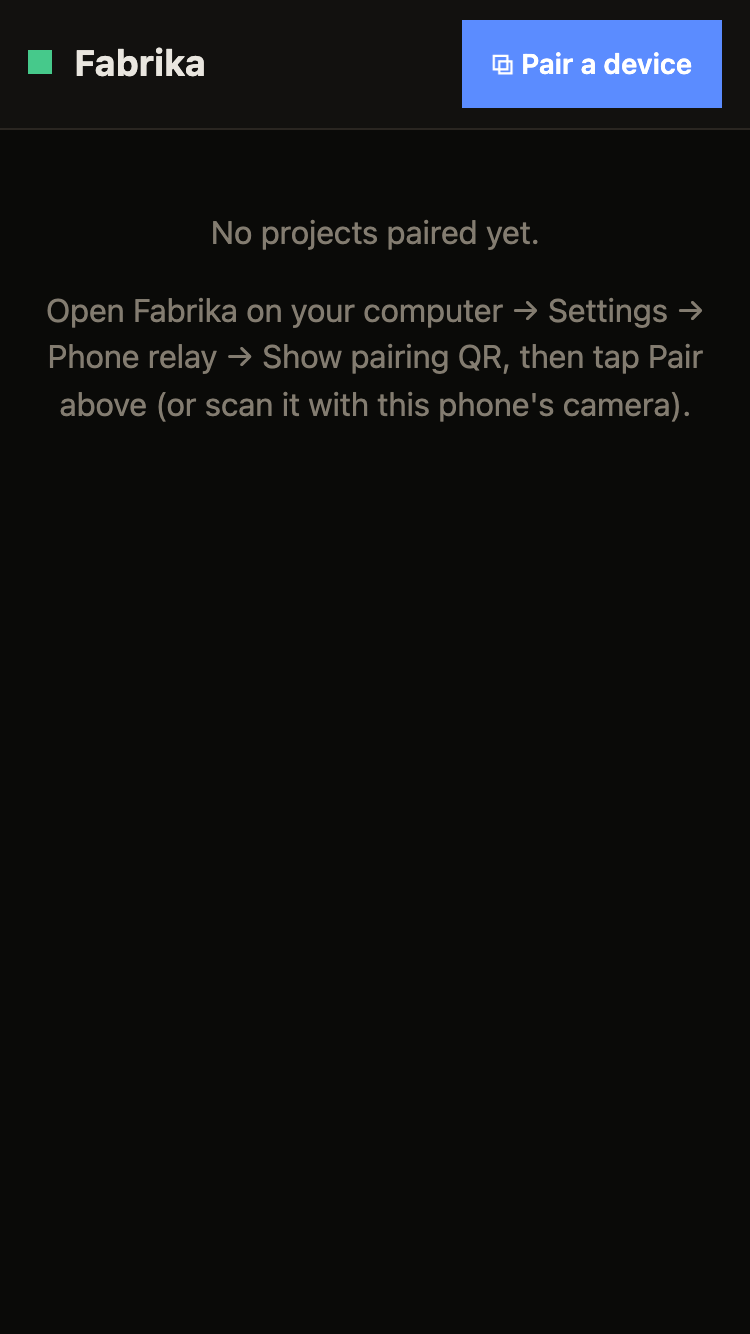
Paired phones appear under Paired devices with their last-seen time. Remove a device there to unpair it instantly and drop its push subscriptions — it’ll need a new QR to reconnect.
What you can do from your phone
The phone is for judgment and kicking off work, not full operations. From the attention feed you can:
| Action | What it does |
|---|---|
| Answer decisions | Resolve the questions agents escalate to you |
| Approve / reject / revise plans | Act on plans awaiting your sign-off |
| Accept / reject / retry work | Judge finished tasks, request changes, or retry |
| Clear audits | Mark a sampled auto-merge as reviewed |
| Comment on tasks | Read a task’s thread and leave a note |
| Define & groom the backlog | Create a big task, promote one into planning, or drop one |
| Ship | Push the merged integration branch to its remote |
Some surfaces are deliberately not exposed to the phone: live agent sessions, in-flight steering, settings, fabrika.toml edits, and file uploads all stay on your desktop. The phone covers the four things that are truly yours — approve, decide, accept, ship.
Notifications
When something newly needs you — a fresh decision, a plan ready to approve, a task entering review, or an auto-merge flagged for audit — the daemon sends a Web Push straight to your paired phones.
- Pushes are debounced: a plan that fans out into ten review-ready tasks buzzes you once, not ten times.
- If a phone is already attached and you’re looking at the feed, the push is suppressed — no redundant buzz.
- The payload only ever says “Fabrika — needs your attention.” The details never leave your machine; you open the app to see them.
How it’s secured
Phone relay is built so the relay server in the middle learns nothing about your work.
- End-to-end encryption. Every phone session is encrypted directly between your daemon and your phone using an authenticated handshake. The relay forwards opaque ciphertext and never holds a key that could decrypt it.
- Zero-knowledge relay. The relay sees only routing metadata — which daemon, which session, how many bytes — never task contents, decisions, or code.
- One-time pairing. Pairing secrets are single-use, expire in 5 minutes, and ride in the QR’s URL fragment, so they never touch the relay server.
- Minimal push payloads. Push notifications carry no task details — just a generic “needs attention” nudge.
- Revocable at will. Unpair any phone from Paired devices, or toggle the relay off entirely, and remote access stops immediately.
This is consistent with Fabrika’s stance overall: the binary makes no network connections except to the agents, git remotes, and — only if you enable it — the relay you configure.