Big Tasks
Feature-level work — planning, decomposition, and tracking
Big tasks are for features and multi-file changes. You describe the goal — a planner agent breaks it into smaller tasks and runs them all.
When to use a big task
Use a big task when the work spans multiple concerns, files, or subsystems. Examples:
- “Add user onboarding flow with email verification”
- “Build the dark mode system with OS-level preference detection”
- “Migrate from REST to GraphQL for the user API”
Use a regular task for single, well-scoped changes like “Fix login redirect” or “Add /healthz endpoint.”
How it works
- Define — click Define big task on the board. Give it a title and describe the intent.
- Plan — a planner agent decomposes the goal into subtasks. Each subtask gets its own spec, touch paths, and acceptance criteria. The plan appears in the Approve column.
- Approve or revise — review the plan. Approve it, or send it back with feedback. You can edit individual subtasks before approving.
- Execute — subtasks flow through the board just like regular tasks. Agents pick them up, implement, test, and verify.
- Monitor — the big task tracks overall progress. Check it in the Factory tab.
Backlog
Not every idea needs to start immediately. Park big tasks in the Backlog column by setting their status to “backlog”:
- Click Define big task
- Fill out the title and intent
- Click Save to backlog
Backlog items sit in the leftmost column until you promote them. Click Plan to move one into the planning stage.
Big task lifecycle
| Status | Meaning |
|---|---|
backlog | Parked idea — not yet planned |
draft | Created, waiting for the planner |
planning | Planner agent is working on decomposition |
planned | Plan is ready for your review |
running | Subtasks are being implemented |
done | All subtasks merged (auto-transitions when the last one lands) |
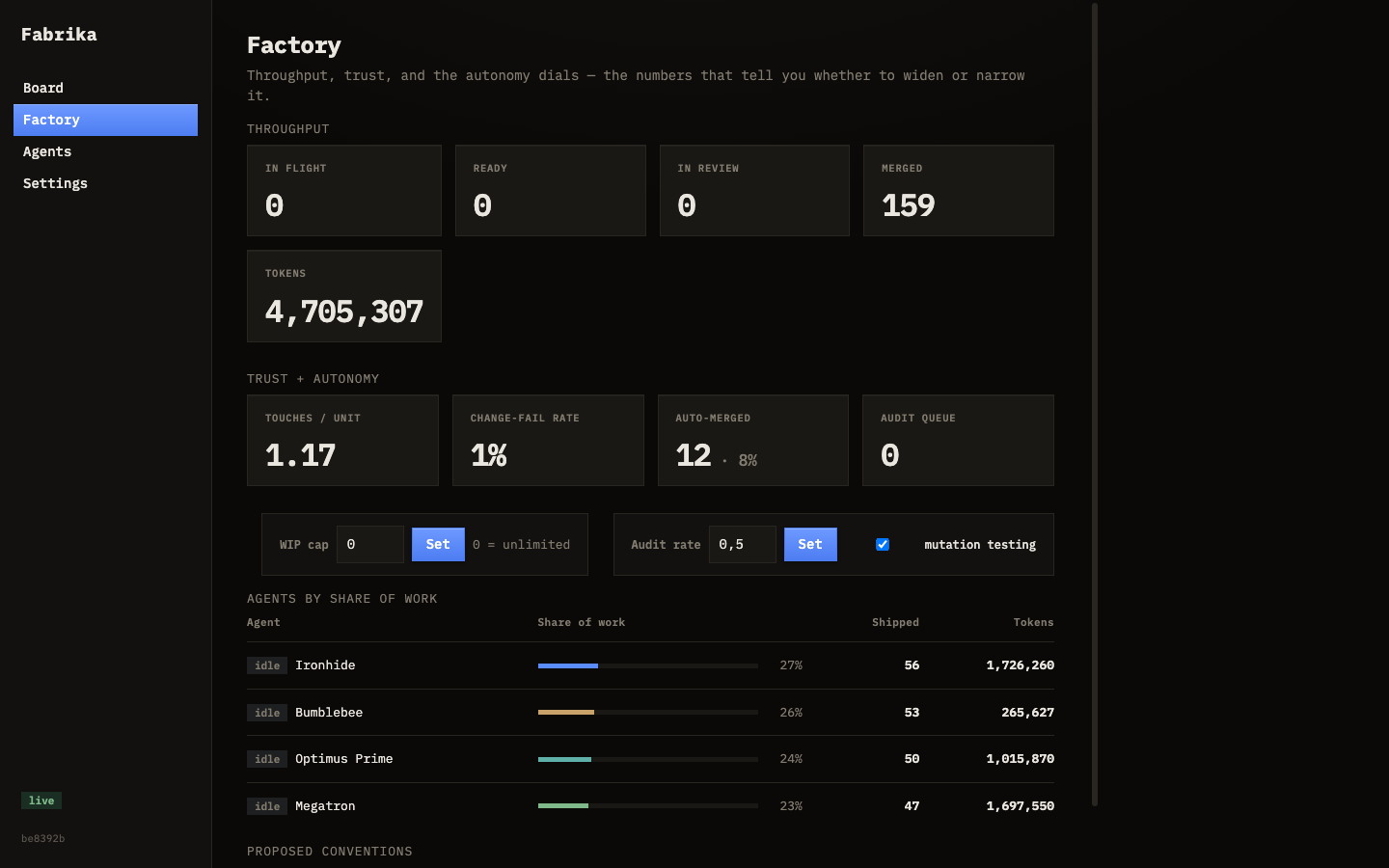
The Factory tab
Track all big tasks in the Factory tab. You’ll see:
- Status of each big task
- How many subtasks are done vs. remaining
- Which planner agent handled it
- The original intent and constraints
Decisions during planning
The planner may surface decisions while decomposing — for example, “should authentication live in a separate service or a middleware package?” These appear in the Decide column. Answer them to unblock planning.
If you promote a decision answer to a convention, the planner learns your preference and won’t ask again.