Configuration & Monitoring
Factory settings, conventions, and the Factory dashboard
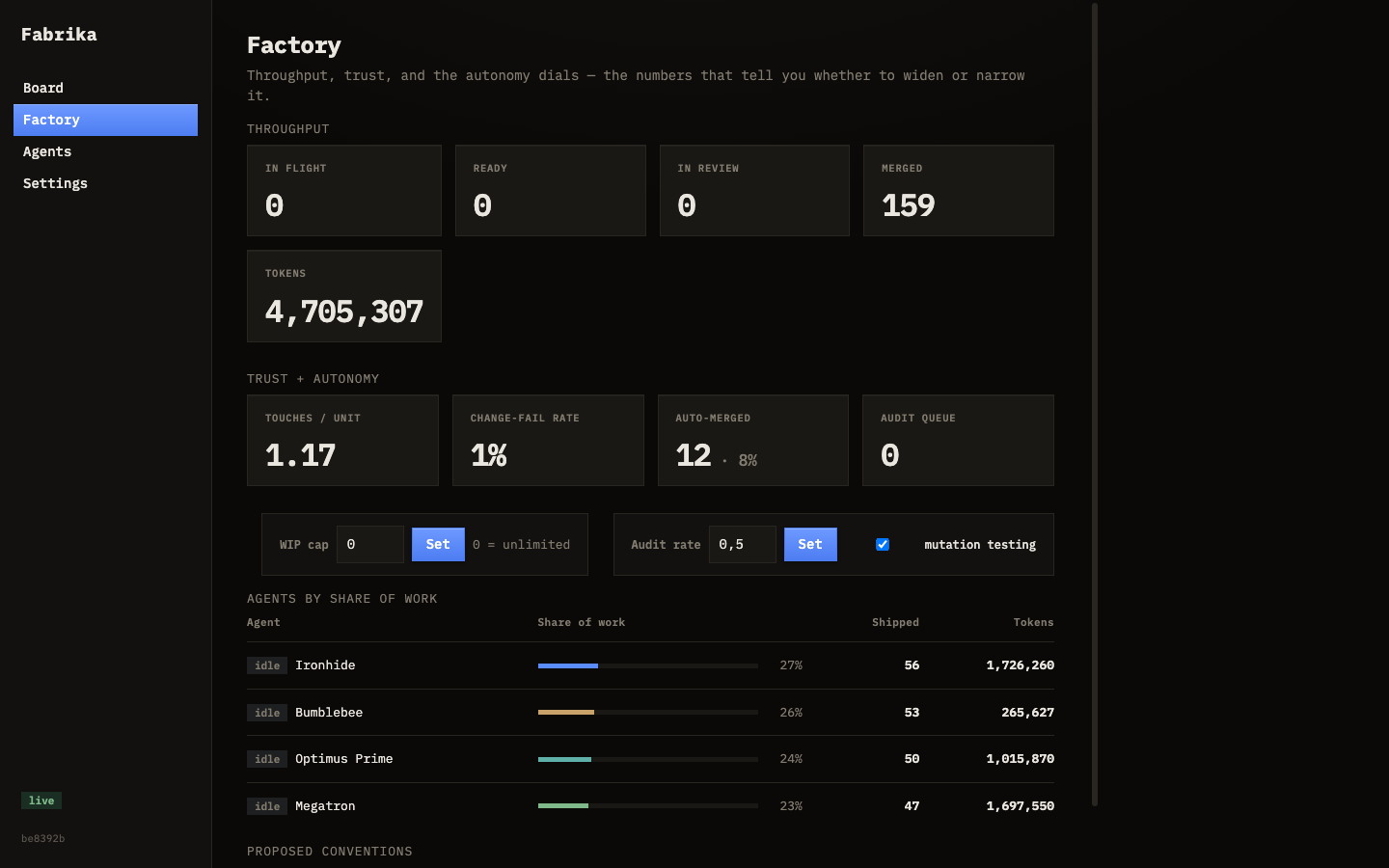
Two tabs give you control over Fabrika: Factory for metrics and conventions, and Settings for runtime tuning.
Factory tab
The Factory tab gives you a high-level view of what’s happening:
- Metrics — throughput, change-fail rate, auto-merge rate
- Big tasks — feature-level work in progress
- Conventions — standing rules injected into agent prompts
- Decisions — pending questions from agents that need your answer
Conventions
Conventions are standing rules that get injected into every agent prompt. They’re how the factory learns your preferences over time.
When an agent surfaces a decision (e.g. “should I use Postgres or SQLite?”), you can answer it and promote the answer to a convention. From then on, every agent follows that rule.
You can also create conventions directly:
- Go to the Factory tab
- Find the Conventions section
- Add a rule like “Always use
strings.Builderinstead offmt.Sprintfin hot-path Go code”
Big tasks
For feature-level work, use big tasks. A planner agent decomposes the goal into smaller subtasks that run through the board independently. Learn more on the Big Tasks page.
Settings tab
The Settings tab lets you tune the factory’s behavior without restarting:
| Setting | Purpose |
|---|---|
| WIP cap | Max number of tasks running at once |
| Audit rate | Fraction of merged tasks to randomly audit (0–1) |
| Mutation testing | On or off — verifies that tests actually catch bugs by injecting faults |
| Quarantine threshold | Failed tasks after which an agent is automatically disabled |
| Agent routing | Which agents handle low, medium, and high-risk tasks |
fabrika.toml
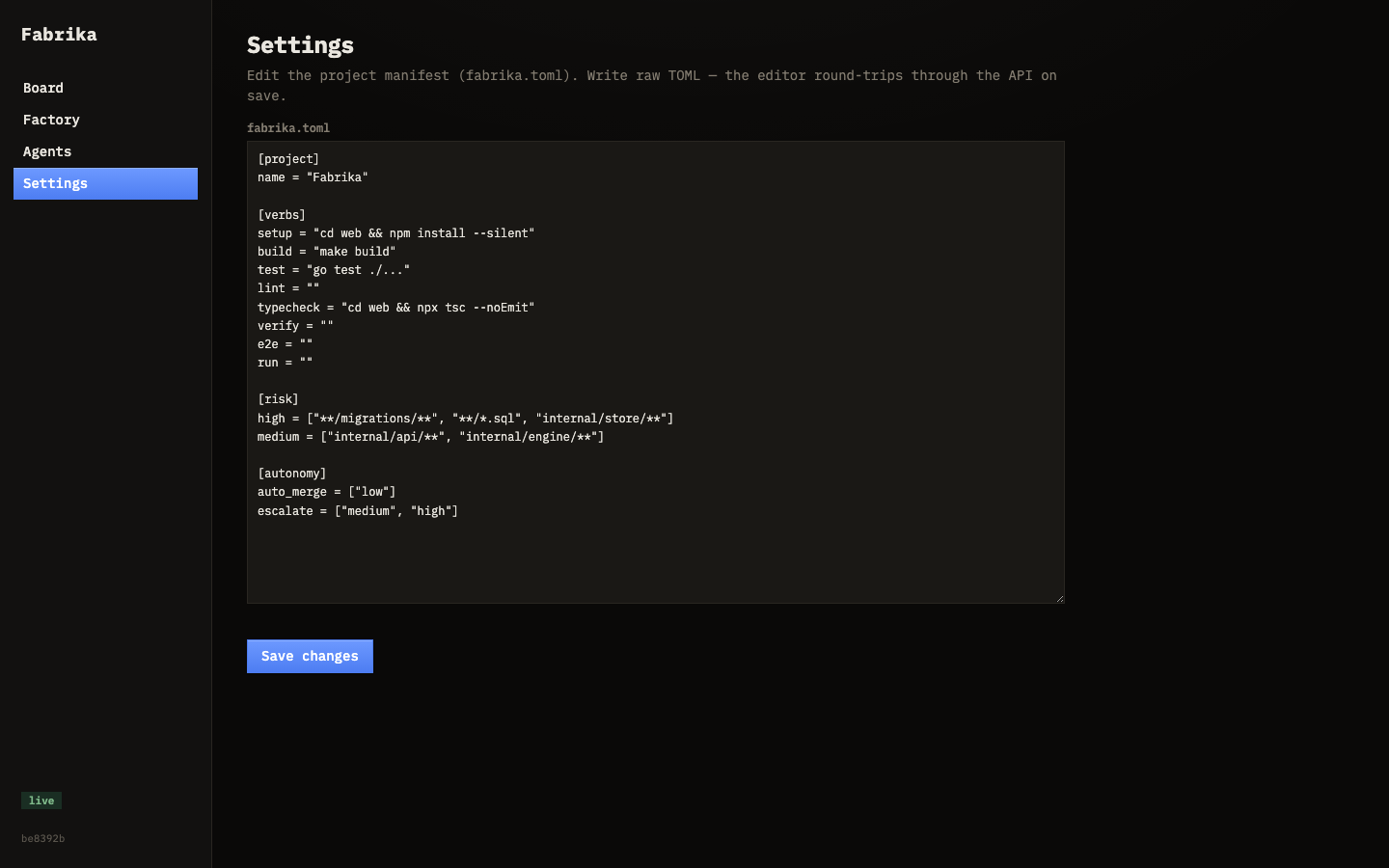
Fabrika reads project-level configuration from fabrika.toml at your project root. This file defines agent commands, model settings, and provider credentials. Run fabrika init to scaffold one — it detects your stack and fills in the verbs.
You can edit fabrika.toml directly, or through the config editor in the Settings tab. Changes hot-reload — no restart needed.