Installation
Download and run Fabrika on your machine
Fabrika is a single binary. Download it, run it, and you have a factory on localhost:7777.
Install
Fabrika runs on macOS and Linux. The install script detects your platform, downloads the right binary from the latest GitHub release, and puts fabrika on your PATH:
curl -fsSL https://raw.githubusercontent.com/berkaycubuk/fabrika/main/install.sh | shInstalling via curl means macOS does not quarantine the binary, so it runs without a Gatekeeper prompt.
Verify the install:
fabrika versionThe script installs to /usr/local/bin by default. Override the location or pin a version with environment variables:
FABRIKA_VERSION=v0.2.0 FABRIKA_INSTALL_DIR=~/.local/bin \
  curl -fsSL https://raw.githubusercontent.com/berkaycubuk/fabrika/main/install.sh | sh
Debian / Ubuntu (.deb)
curl -fLO https://github.com/berkaycubuk/fabrika/releases/latest/download/fabrika_amd64.deb
sudo apt install ./fabrika_amd64.deb     # or fabrika_arm64.deb
Manual download
Grab a tarball from the releases page, tar -xzf it, and move fabrika onto your PATH. If you downloaded via a browser on macOS, clear the quarantine flag once:
xattr -dr com.apple.quarantine fabrikaFirst run
Fabrika runs in your project’s directory and needs a fabrika.toml there before it will start:
cd /path/to/your/repo
fabrika init          # scaffold fabrika.toml (auto-detects your stack's verbs)
fabrika               # start the server (opens your browser)
This starts the server on port 7777 and opens http://localhost:7777 in your browser.
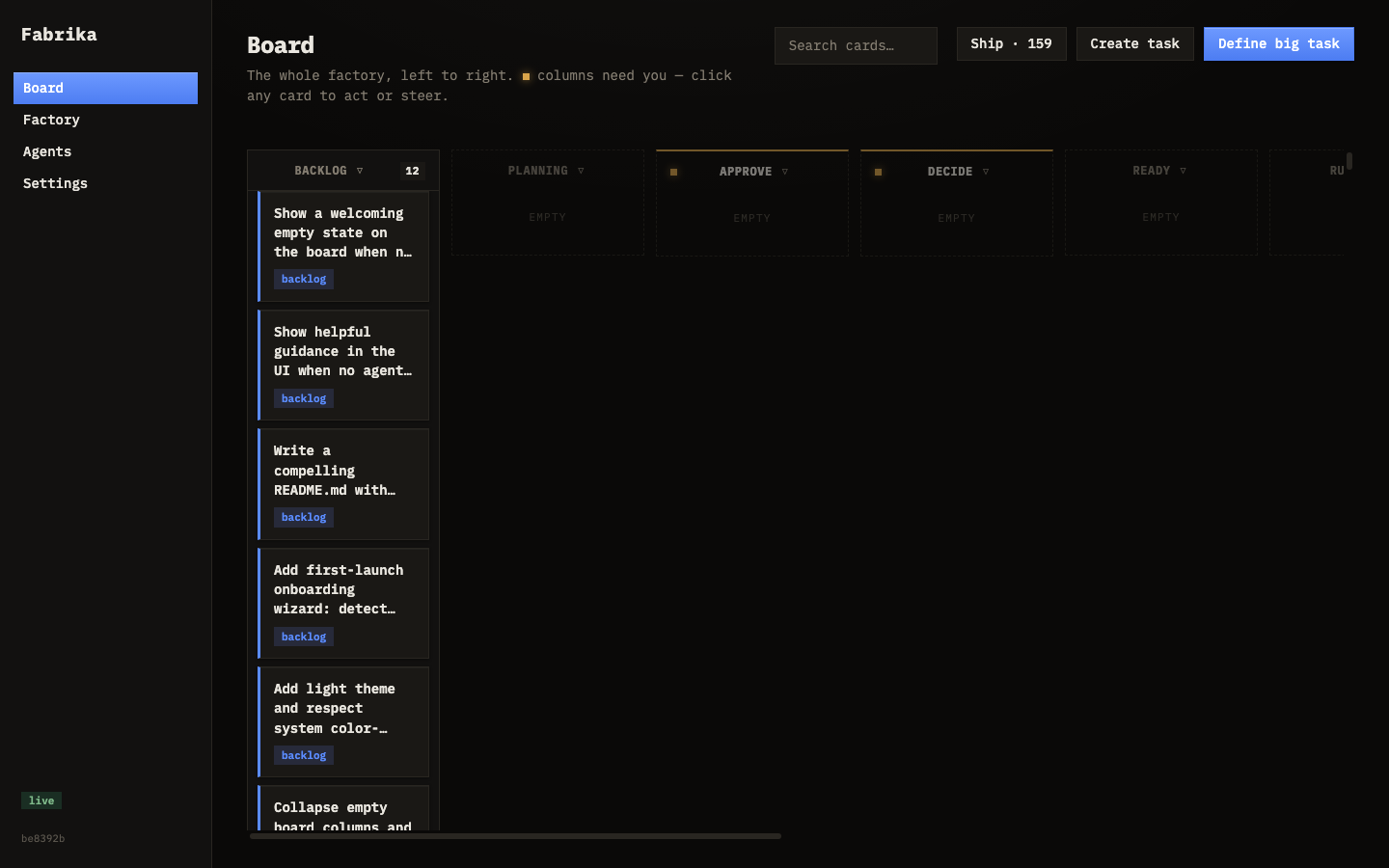
A couple of useful flags:
fabrika --port 8080   # use a different port
fabrika --no-open     # don't open the browser on start
Prerequisites
Fabrika needs agents to do work. Before you can use it you’ll need:
- A CLI coding agent installed on your machine (e.g. Claude Code or Aider) — you register it in the Agents tab with a name, command template, roles, and concurrency limit
- A
fabrika.tomlconfig file in your project root (fabrika initscaffolds one)
Agents live in the global store and are reusable across every repo. You can always add more later in the Agents tab.
What you get
After starting Fabrika, you have four tabs:
| Tab | What it does |
|---|---|
| Board | The kanban — create tasks, track progress, review and accept |
| Factory | Metrics, big tasks, conventions, decisions |
| Agents | Add, enable, disable, and configure your workers |
| Settings | Runtime tuning — WIP cap, audit rate, mutation testing |
Everything is also available through the REST API.