Agents
Configure the AI agents that do the work
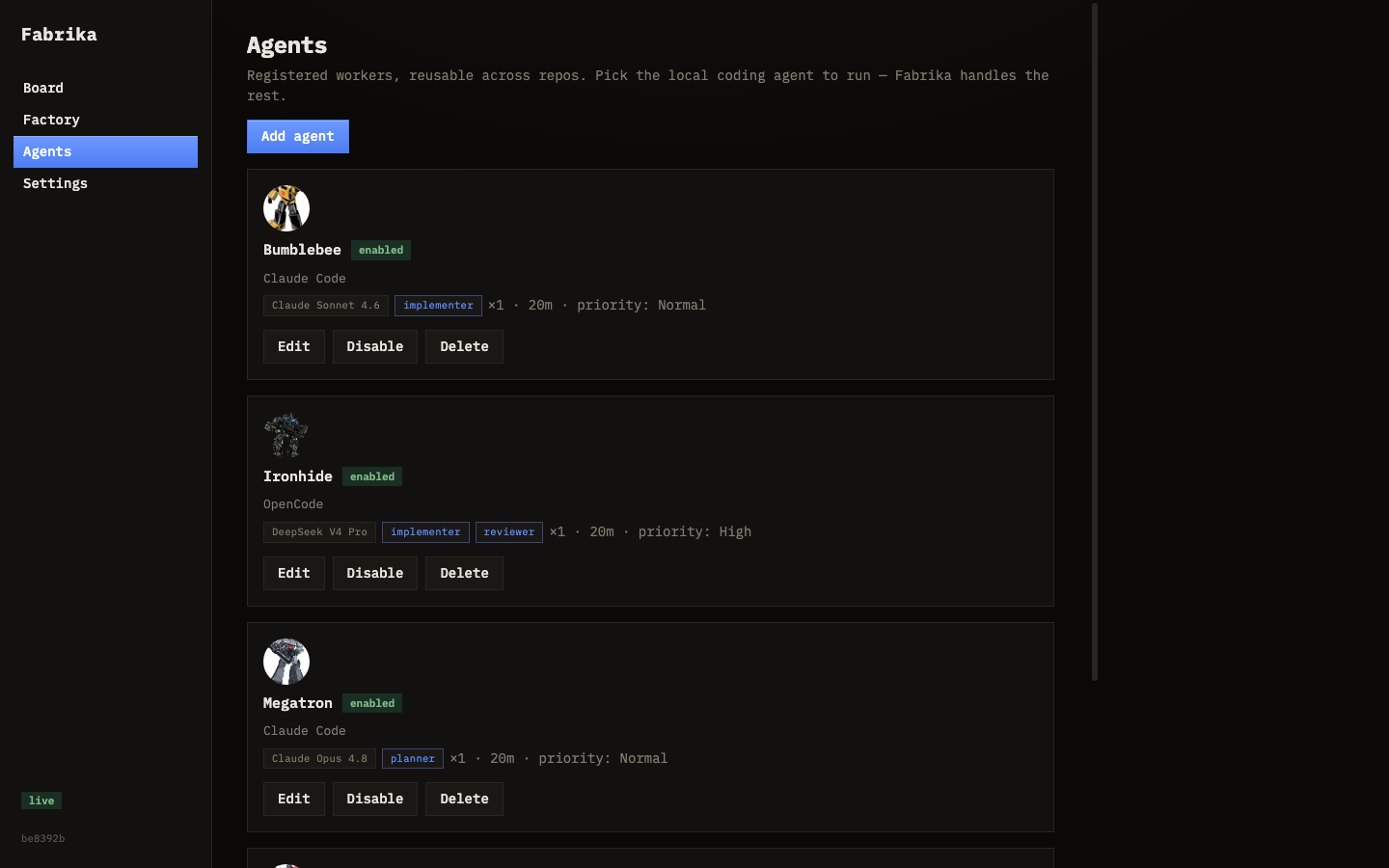
Agents are your workers. Each one has a model, a role, and a command template. Configure them in the Agents tab or via the API.
How agents work
An agent is a model paired with a role and a command template. Fabrika picks the right agent for each task based on role and availability:
| Role | What it does |
|---|---|
| Implementer | Writes code, tests, and documentation |
| Reviewer | Reviews other agents’ work before it reaches you |
| Planner | Decomposes big tasks into smaller, buildable pieces |
An agent can have multiple roles. You can have as many agents as you want — they run in parallel up to their concurrency limit.
The Agents tab
The Agents page in the dashboard shows every agent, their status, roles, and current workload. From here you can:
- Enable / disable agents with one click
- Add new agents with the form
- Edit an agent’s configuration
- Delete agents you no longer need
Adding an agent
In the Agents tab, fill out:
- Name — human-readable label (e.g. “Bumblebee”, “Ironhide”)
- Command template — how Fabrika invokes the agent. Placeholders:
{prompt_file}— path to the task prompt{worktree}— path to the isolated worktree{model}— the model name
- Model — which model to use (e.g.
claude-sonnet-4) - Roles — pick one or more: Implementer, Reviewer, Planner
- Tags — labels to route specific tasks to this agent
- Concurrency — how many tasks this agent can work on at once
- Timeout — max time for a single task attempt
- Max attempts — how many times to retry before giving up
Choosing models
Fabrika is model-agnostic. Common setups:
| Provider | Example model | Best for |
|---|---|---|
| Anthropic | claude-sonnet-4 | General implementation |
| OpenAI | gpt-4.1 | General implementation |
| OpenRouter | openai/gpt-4.1 | Flexible routing |
| Local | any GGUF via llama.cpp | Privacy, no API costs |
Use stronger models for planning and reviewing. Use faster, cheaper models for routine implementation tasks.