Getting Started
Create your first task and see it through the pipeline
A walkthrough using the web dashboard: create a task, watch an agent implement it, review the diff, and accept it.
1. Open the dashboard
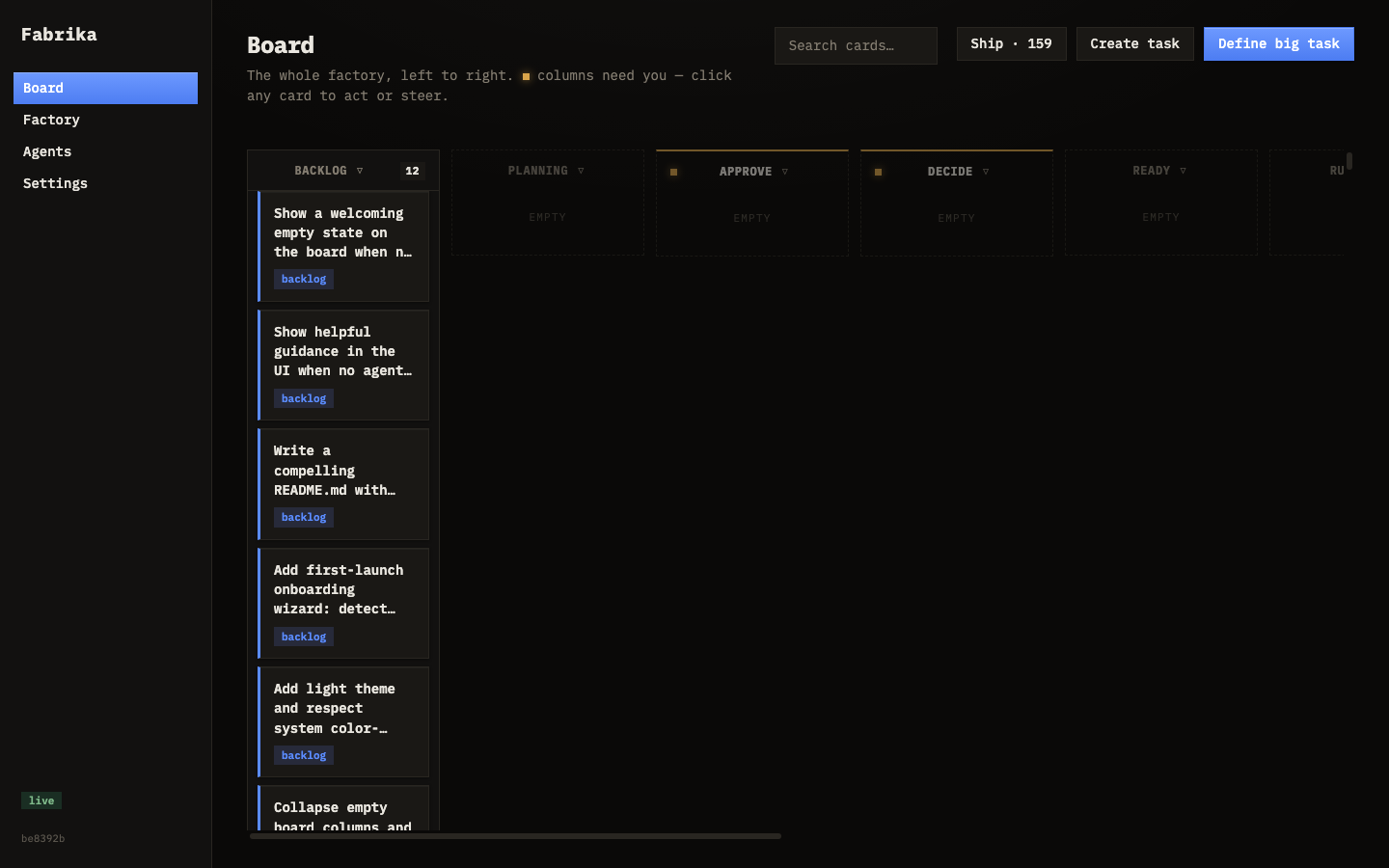
Fabrika runs at http://localhost:7777. Open it in your browser. The board is the main view — a kanban where tasks flow left to right through every stage of the pipeline.
2. Create a task
Click the Create task button at the top of the board. A form appears:
- Title — a short name for the task (e.g. “Add /healthz endpoint”)
- Spec — what the agent should build, where, and any constraints. Be specific — the agent works best with clear instructions.
- Touch paths — files or directories the agent is allowed to modify. If left empty, Fabrika infers them.
- Tags — labels like
api,frontend,bug - Priority and Risk tier — controls urgency and how strict the verification gates are
Fill it in and click Create task. The task appears on the board in the Ready column.
3. Watch it run
If you have agents configured (see the Agents section), an eligible agent picks up the task automatically. Watch it move:
- Ready → Running — an agent claimed it and is writing code
- Running → Verifying — tests and gates are running
- Verifying → Review — done, waiting for you
If something goes wrong, the task lands in Failed. You can retry it.
4. Review the work
Click the task card when it reaches Review. A detail panel opens showing:
- The diff — every line changed
- Test results — pass or fail for each check
- The agent’s notes and reasoning
5. Accept or reject
If the change looks good, click Accept. The task merges into your codebase.
If something’s wrong, click Reject and leave a note. The agent retries with your feedback.
Next steps
- Try a Big task — click “Define big task” for feature-level work. The planner splits it into subtasks automatically.
- Check the Factory tab for metrics, conventions, and big task tracking.
- Browse the Agents tab to add more workers.